



3: News Feed
41 views · updated 12 hours ago

Stay updated with the News
Feed on BIMeta using this simple guide:
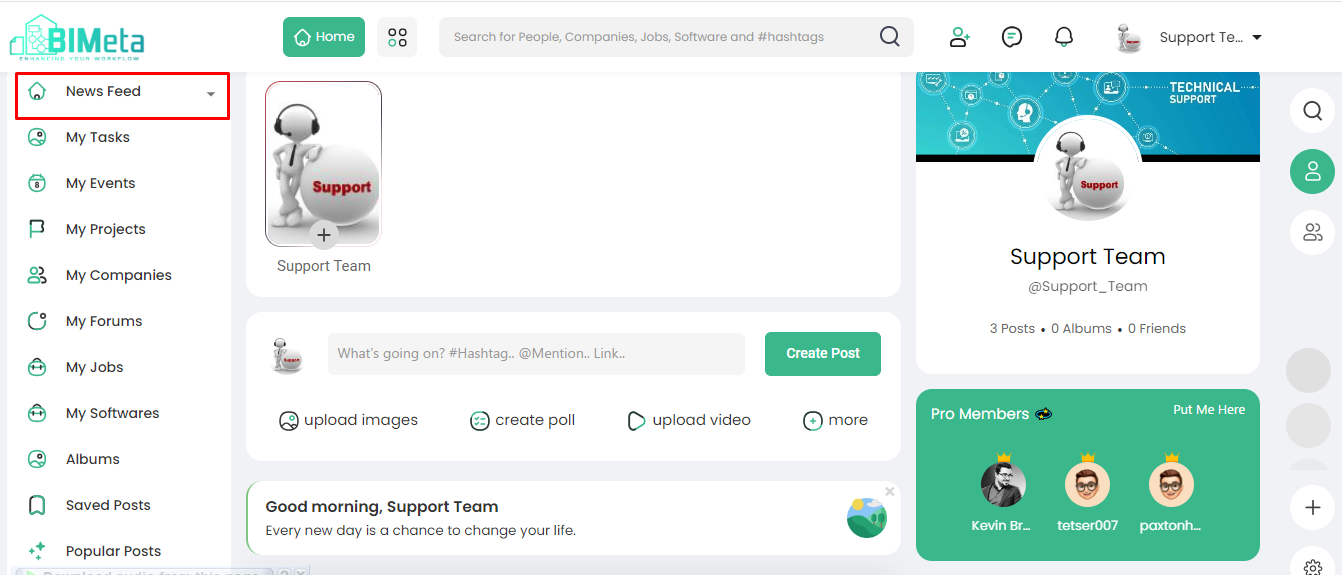
1. Locate
News Feed:
- On the left side of BIMeta, spot the "News Feed" option.
2. Click
the Dropdown:
- Click on the dropdown arrow next to "News Feed." Two options appear.
3. Options
Available:
- Choose between:
- All: Get updates from
everyone on BIMeta.
- People
Who I Follow: Focus
on updates from those you follow.
- All: Get updates from
everyone on BIMeta.
4. Understanding
the Feed:
- The feed is a dynamic list in the middle of your home page, updating constantly.
5. What's
Included:
- Expect a mix of status updates, photos, videos, links, app activities, and likes from people, Pages, and groups you follow on BIMeta.
Stay connected and informed
with the ever-changing stories in your News Feed on BIMeta!
Was this article helpful?
Share