



8: My Forums
35 views · updated 14 hours ago

Engage in meaningful
discussions with the "My Forums" module on BIMeta using this
simple guide
1. Locate
'My Forums':
- On the left side of the site, find and click on the 'My Forums' module.
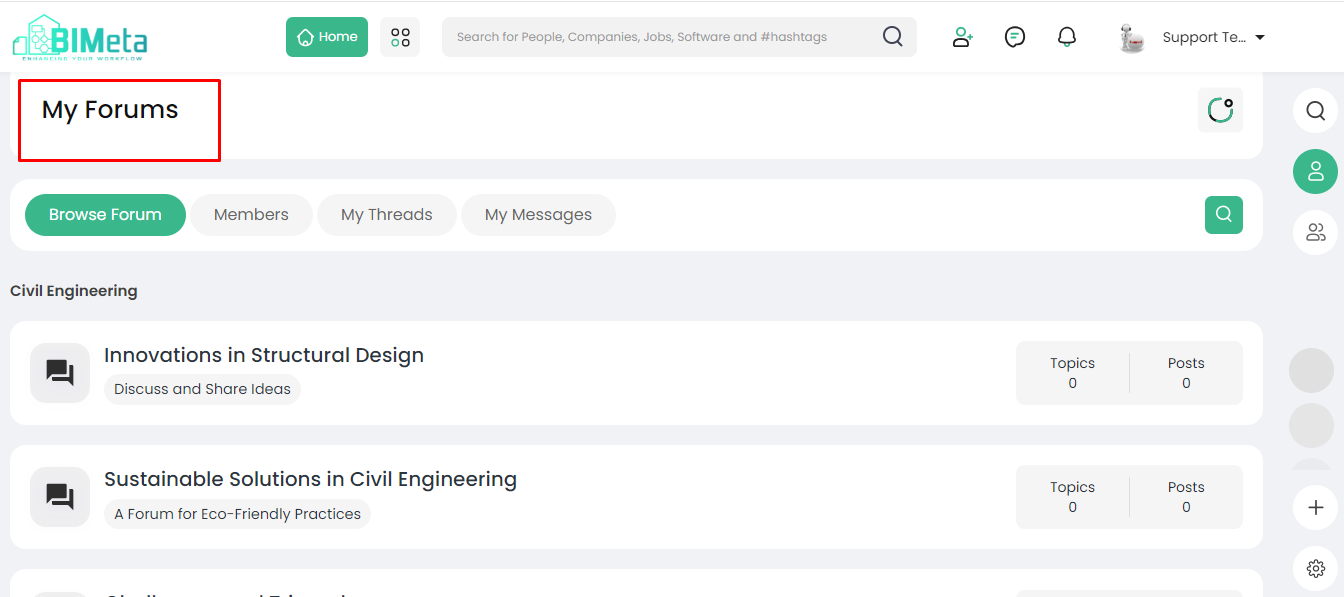
2. Explore My Forums Page:
· Clicking
opens the My Forums page with various options:
- Browse Forum': Discover and explore
different forums.
- 'Members': Connect with other
forum members.
- 'My Thread': Keep track of your
forum threads.
- 'My Messages': Manage your forum
messages.
3. Participate in Discussions:
- Discuss any topic you find interesting, create threads, and share them on your timeline.
4. Utilize Forum Features:
· Use
forums to:
- Discuss specific topics.
- Run polls to gather opinions.
- Ask questions to receive
multiple answers.
Now, dive into vibrant discussions and connect with others through forums on BIMeta!
Was this article helpful?
Share