



7: My Companies
37 views · updated 14 hours ago

Effortlessly manage and
create companies with the "My Companies" module on BIMeta
using this simple guide:
1. Locate
'My Companies':
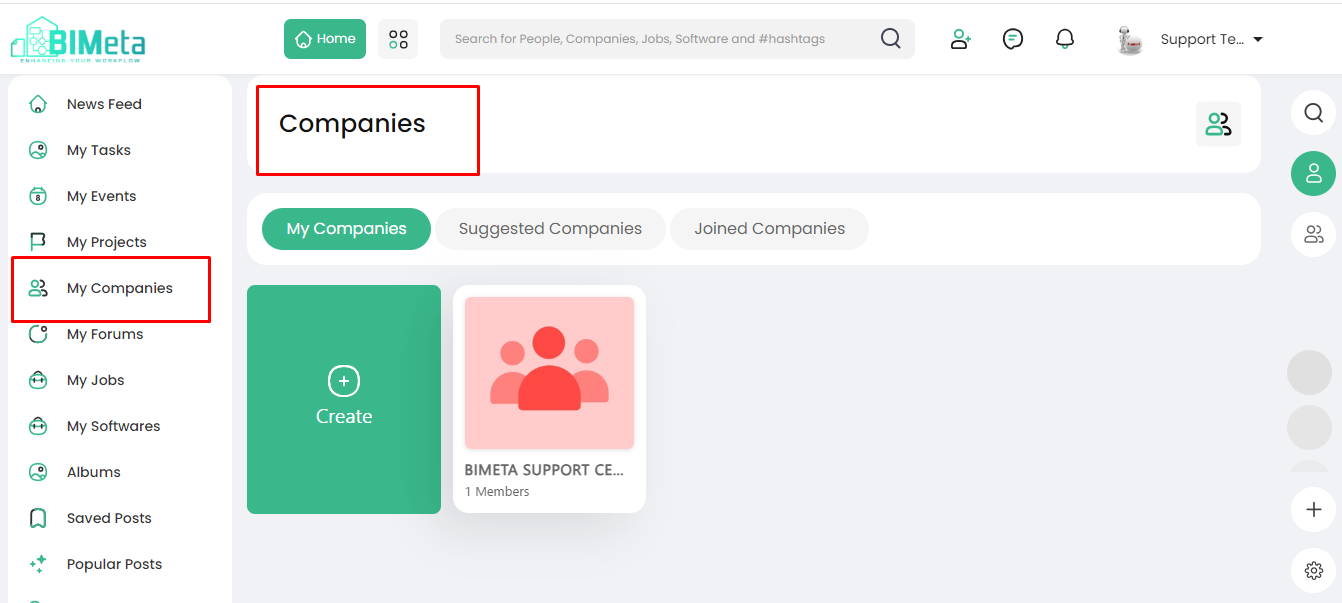
- On the left side of the site, find and click on the 'My Companies' module.
2. Explore
Companies Page:
· Clicking
opens the Companies page where you can find:
- "My Companies" Tab: Displays companies
you've created.
- 'Suggested Companies' Tab: Discover suggested
companies.
- 'Joined Companies' Tab: View companies you've
joined.
3. Create
New Company:
- Look for the green button to create a new company.(See section 2.2.5 for details on creating a new company.)
Now, effortlessly manage your
companies and explore new ones on BIMeta!
Was this article helpful?
Share