



5: My Events
29 views · updated 14 hours ago

Manage and create events effortlessly with the "My Events" module on BI Meta using this straightforward guide:
1. Locate
'My Events':
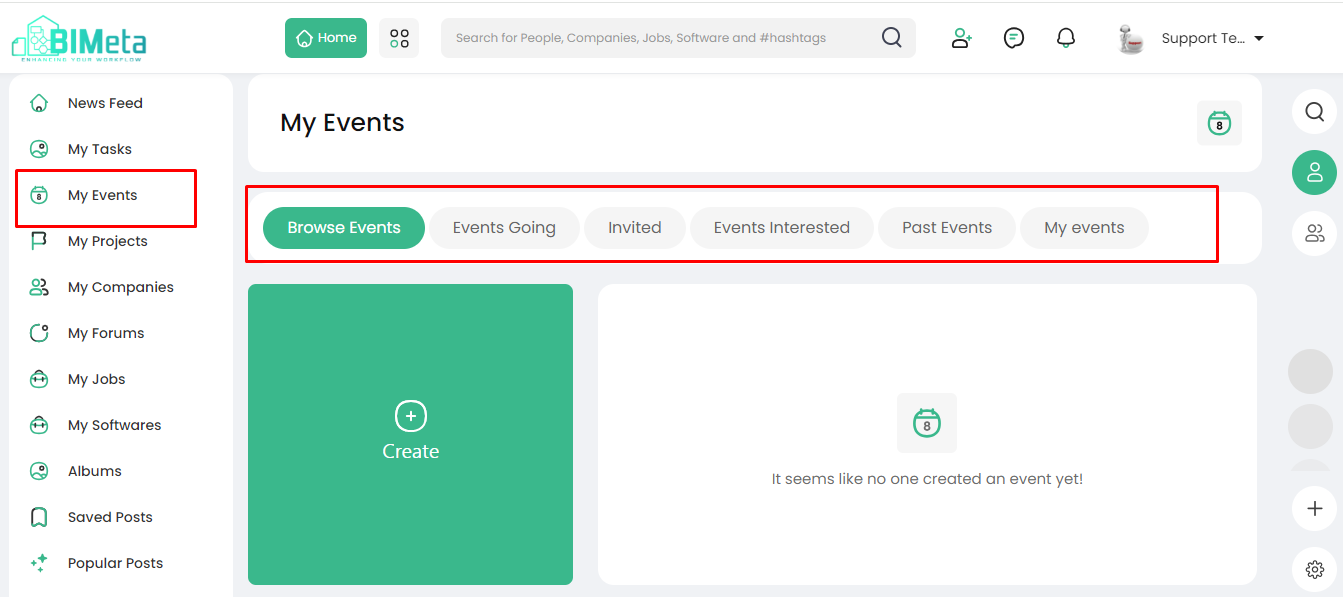
- On the left side of the site, find and click on the 'My Events' module.
2. Explore
Event Options:
· Clicking
opens the Events page with various options:
- Browse Event: Discover upcoming
events.
- Event Going: Track events you're
attending.
- Event Invited: View invitations
received.
- Event Interested: See events that caught
your interest.
- Post Events: Share your own events.
· My
Events:
A
summary of events you've created.
3. Create
Event:
- Spot a big green button saying "Create Event." Click on it to start creating your event.
Now, manage and create events seamlessly on BIMeta!
Was this article helpful?
Share