



22: Plus, Button
35 views · updated 12 hours ago

Enhance collaboration with
the "Plus Button" on BIMeta to create a "Company Chat"
using this simple guide:
1. Locate
'Plus Button':
- On the left side of the site, find and click on the 'Plus Button'.
2. Access 'Create Company Chat':
- In the popup that appears, choose 'Create Company Chat'.
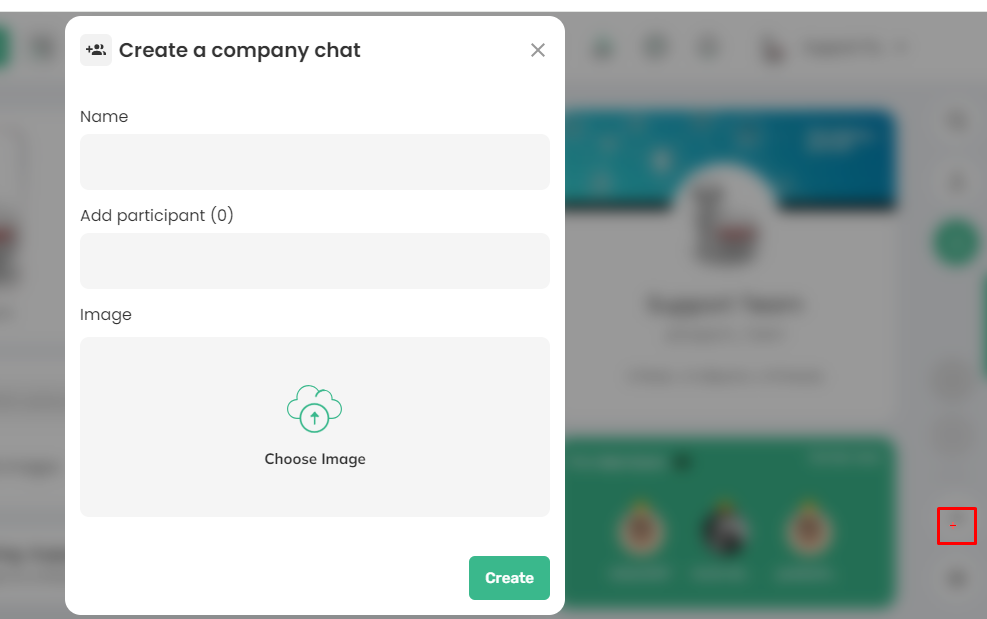
3. Provide Details:
- Add a name for your chat.
- Specify participants who will join the chat.
- Upload an image to personalize your chat.
4. Create Your Chat:
- After
entering all details, hit the 'Create' button.
- After
entering all details, hit the 'Create' button.
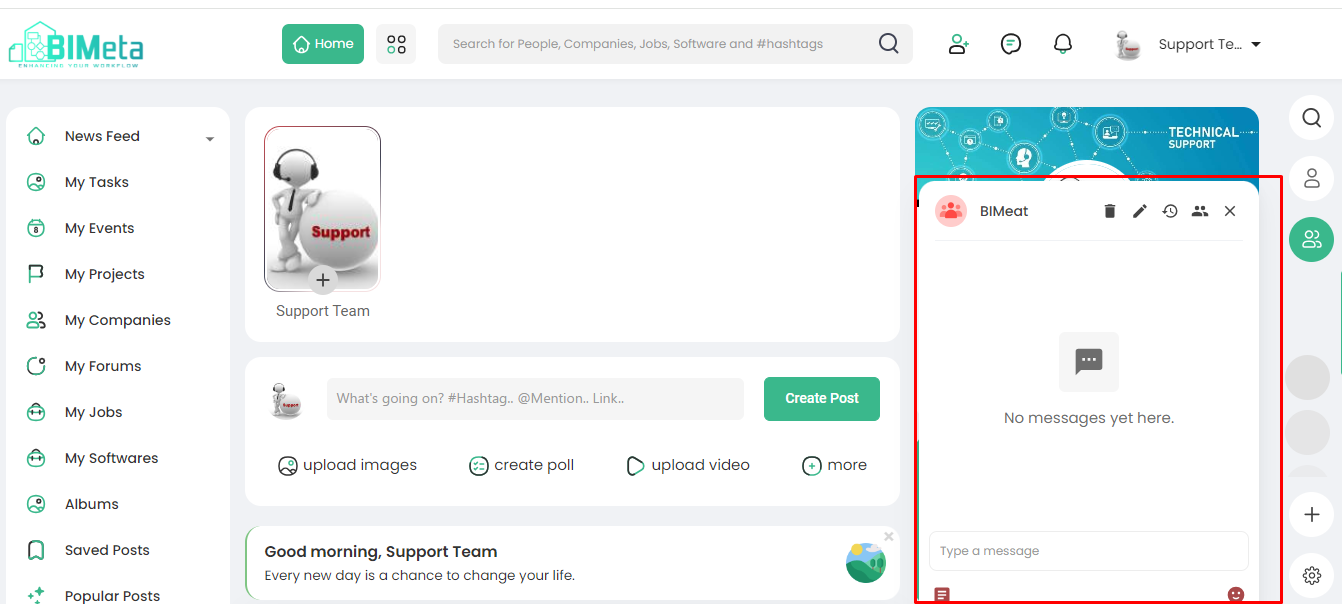
5. Chat Box Ready:
- Your Company Chat box is now created and ready for collaboration.
Now, effortlessly set up and
manage company-specific conversations on BIMeta!
Was this article helpful?
Share