



2.6.9: Night Mode
45 views · updated 12 hours ago

Give your eyes a break with
Night Mode on BIMeta using this simple guide:
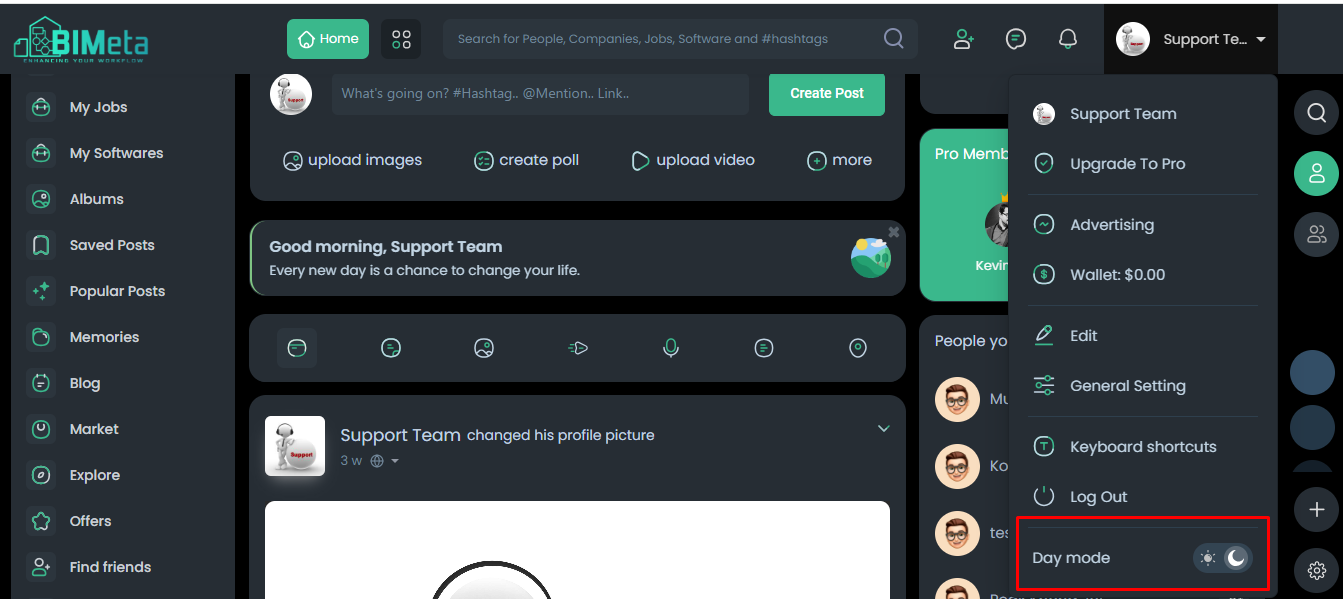
1. Profile
Section:
- Head to your profile section for personalized options.
2. Click "Night Mode":
- In the drop-down, find and click on "Night Mode." Watch the magic unfold!
3. Page Color Changes:
- As you click, witness a soothing change in page colors.
4. Operational Night Mode:
- Night Mode functionality becomes operational, reducing eye strain in low-light conditions.
Enjoy a gentler browsing
experience with Night Mode on BIMeta!
Was this article helpful?
Share