



2.6.6: General Setting
36 views · updated 6 hours ago

Customize your BIMeta profile
effortlessly with this simple guide:
1. Profile
Section:
- Head to your profile section for personalized options.
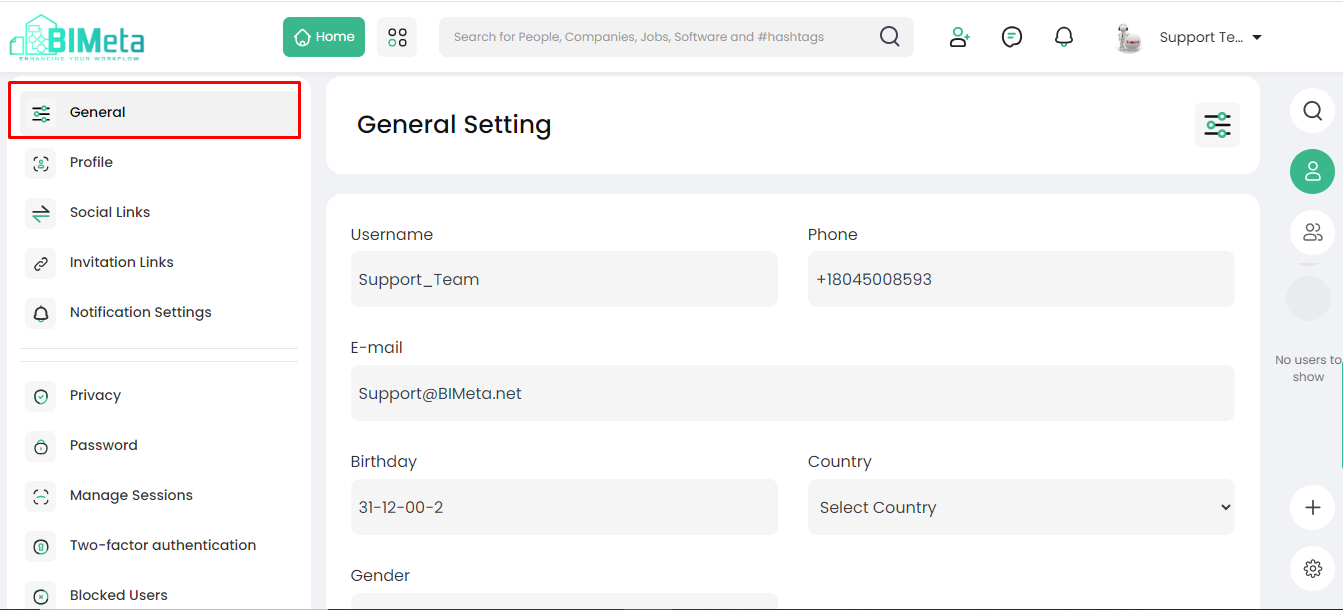
2. Click "General Settings":
- In the drop-down, find and click on "General Settings." A new page opens.
3. Personalize Your Profile:
· On
this page, customize settings like:
- Username: Choose a unique
username.
- Phone: Add or update your
phone number.
- Email: Manage your email
address.
- Birthday: Share your special day.
- Country: Set your location.
- Gender: Define your gender.
- Job Title: Specify your
occupation.
4. Save Your Changes:
- Don't forget to hit the "Save" button to keep your updated settings.
Now you're all set with
personalized settings on BIMeta!
Was this article helpful?
Share