



2.6.5: Edit
39 views · updated 12 hours ago

Tailor your BIMeta profile to
perfection with this user-friendly guide:
1. Profile
Section:
- Head to your profile section for personalized options.
2. Click "Edit":
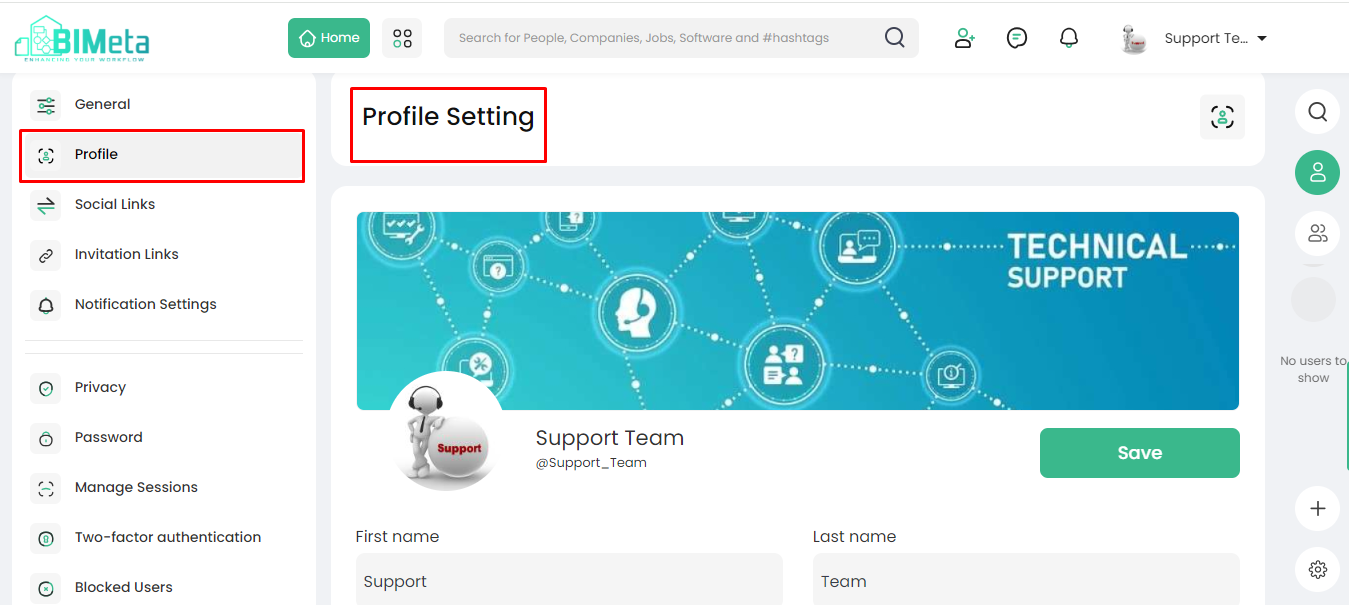
- In the drop-down, find and click on "Edit." A new page opens.
3. Edit Your Profile:
· On
this page, you can edit various details:
- Support User: See who supports your
profile.
- Edit First Name and Last
Name: Update
your name as needed.
- About Me: Share a bit about
yourself.
- Location: Let others know where
you are.
- School: Add your educational
details.
- Working At: Update your workplace
information.
- Website: Share your personal or
professional website.
4. Save Your Changes:
- Look for the "Save" button on the page. Click it to ensure your updated details are preserved.
5. Confirm the Update:
- A confirmation message may appear, confirming that your changes have been saved successfully.
By clicking "Save," you're securing the
changes you made to your profile on BIMeta.
Was this article helpful?
Share