



2.6.4: Wallet
37 views · updated 12 hours ago

Manage your funds
effortlessly in your BIMeta profile with this easy guide:
1. Profile
Section:
- Visit your profile section for personalized options.
2. Click
"Wallet":
- In the drop-down, locate and click on "Wallet." A new page appears.
3. Wallet
Overview:
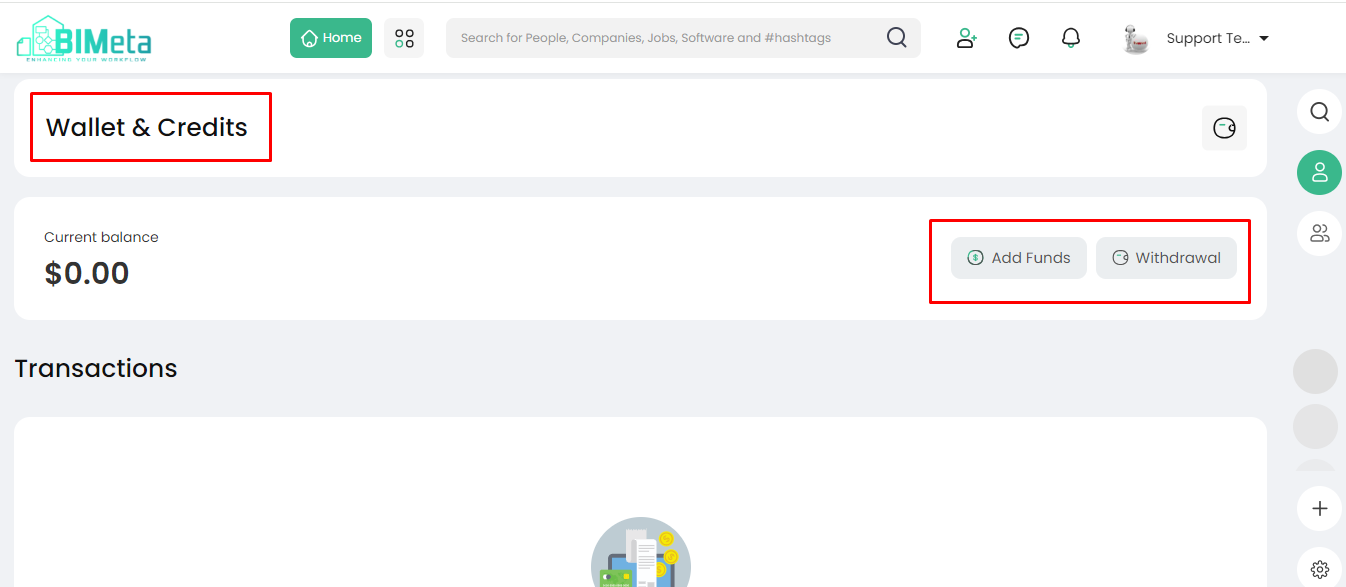
· On
this page, you'll find:
- Current Balance: Keep an eye on your
existing funds.
- Add Fund Button: Easily add funds to
your wallet.
- Withdraw Button: Initiate a withdrawal
if needed.
- Transaction Section: View your transaction
history below.
4. Manage
Your Finances:
- Use this section for a quick overview of your wallet. Add or withdraw funds with a click, and stay updated on your transactions.
Effortlessly handle your
finances on BIMeta with the Wallet tab.
Was this article helpful?
Share