



2.6.1: Support Team
38 views · updated 14 hours ago

Navigate your profile's
support features on BIMeta with this simple guide:
- Profile Section:
- Head to your profile section for personalized options.
2. Click "Support Team":
- In the drop-down, find and click on "Support Team." A new page opens.
3. Profile Snapshot:
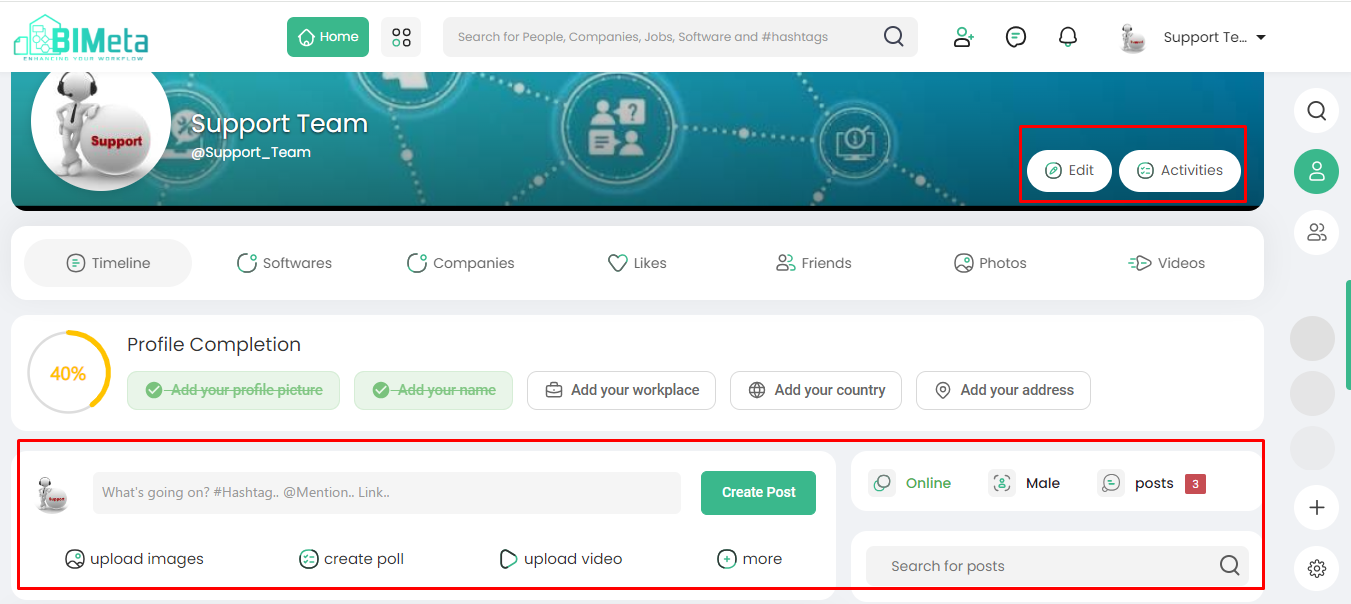
- Discover your profile, including your profile picture, edit option, and activity insights.
4. Create Posts and Check Status:
- On this page, you can create posts, check your status, and see the number of posts you've shared.
5. Explore Actions:
- Dive into a world of actions! Upload images, create polls, share videos, and more. Explore to discover all the amazing features.
By exploring the Support Team
tab, you can uncover a variety of ways to enhance and personalize your BIMeta
experience.
Was this article helpful?
Share