



2.3: Requests Button
29 views · updated 8 hours ago

Here's a quick guide about
the request button which is showing in the header section:
1. Header
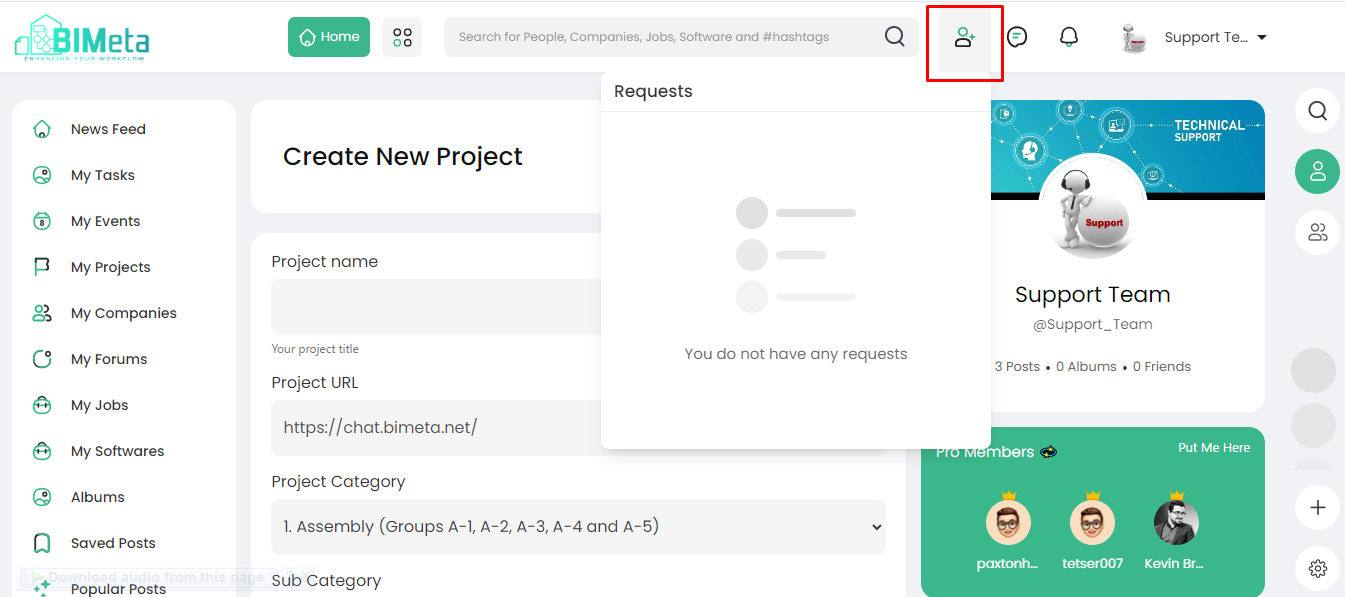
Requests Button:
- Look for the "Requests" button on the main header.
2. Click to View:
- Click on the "Requests" button. A popup will magically appear!
3. Requests Popup:
- The popup displays all the requests you've received neatly in one place.
The "Requests"
button is your gateway to see all the connection requests and more. Stay
connected with ease on BIMeta!
Was this article helpful?
Share