



2.2: Create Button
37 views · updated 12 hours ago

Let's break down the magic behind the "Create" button on BIMeta, just click on the button:
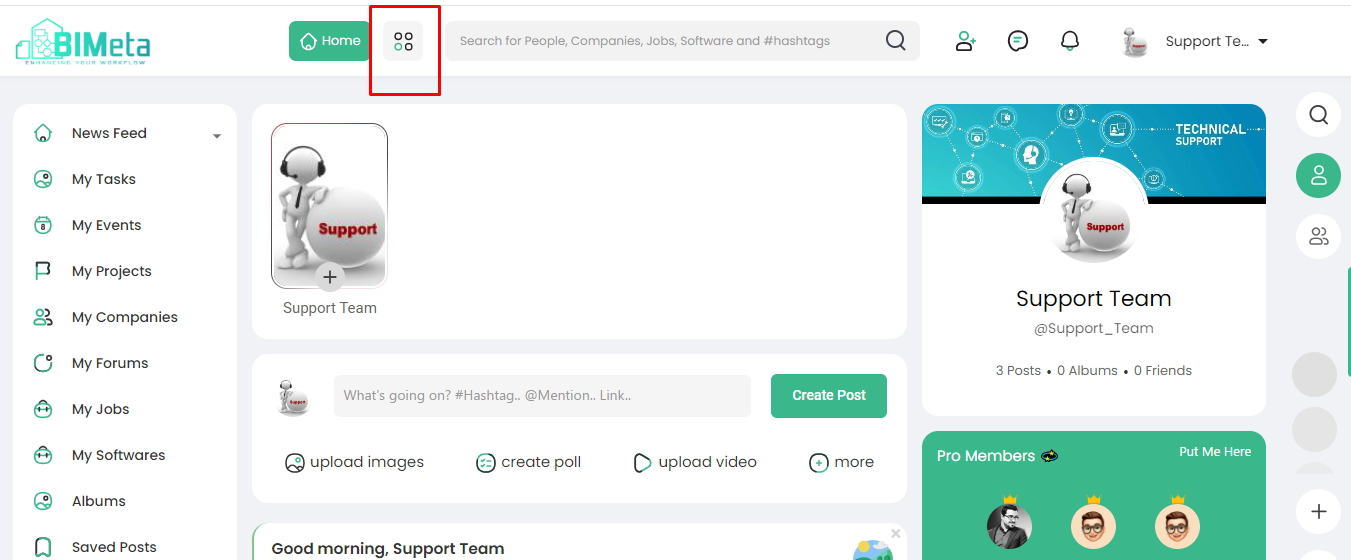
Create
Button Guide:
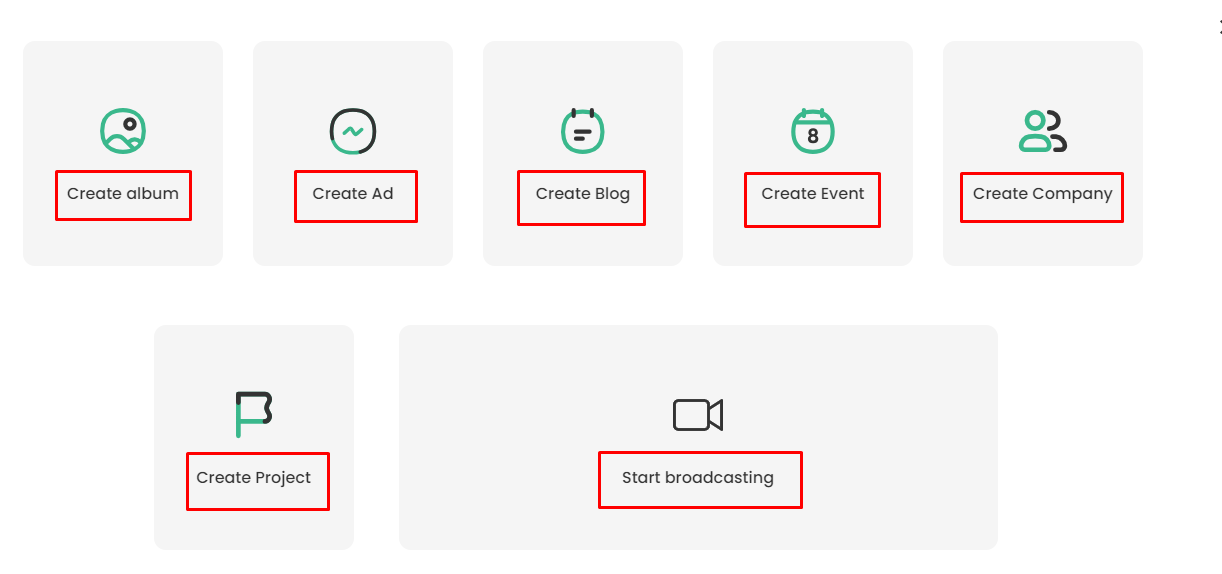
- Create the Album:
- Click here to craft a personalized photo album! Gather your favorite moments, add captions, and share your visual stories with friends.
2. Create Ad:
- Ready to shine a spotlight? Use this feature to create and share ads. Whether it's promoting an event or showcasing your talent, this is your marketing playground.
3. Create Blog:
- Express yourself through words! This option lets you create your blog posts, share your thoughts, and engage with the BIMeta community through writing.
4. Create Events:
- Planning a get-together or announcing an upcoming happening. This is your go-to for creating and managing events. Spread the word and get everyone on board.
5. Create Company:
- Launch your company's presence on BIMeta! Share your mission, connect with clients, and let the world know what makes your company awesome.
6. Create Project:
- Dive into the world of projects! Whether it's a personal endeavor or a team effort, use this feature to outline, manage, and share your projects seamlessly.
7. Start Broadcasting:
- Lights, camera, action! Ready to go live? Start Broadcasting lets you connect with your audience in real-time. Share moments, ideas, or just hang out – live and unfiltered.
Simply
click on the "Create" button, choose your adventure, and let
the creativity flow! Each section is designed to make sharing and connecting on
BIMeta a breeze.
Was this article helpful?
Share