



2.2.6: Create Projects
34 views · updated 12 hours ago

Ready to showcase your
projects on BIMeta, here's a simple guide for the "Create Project"
tab:
1. Click
"Create Project":
- Find the "Create Project" tab and give it a click. Get ready to dive into the world of projects!
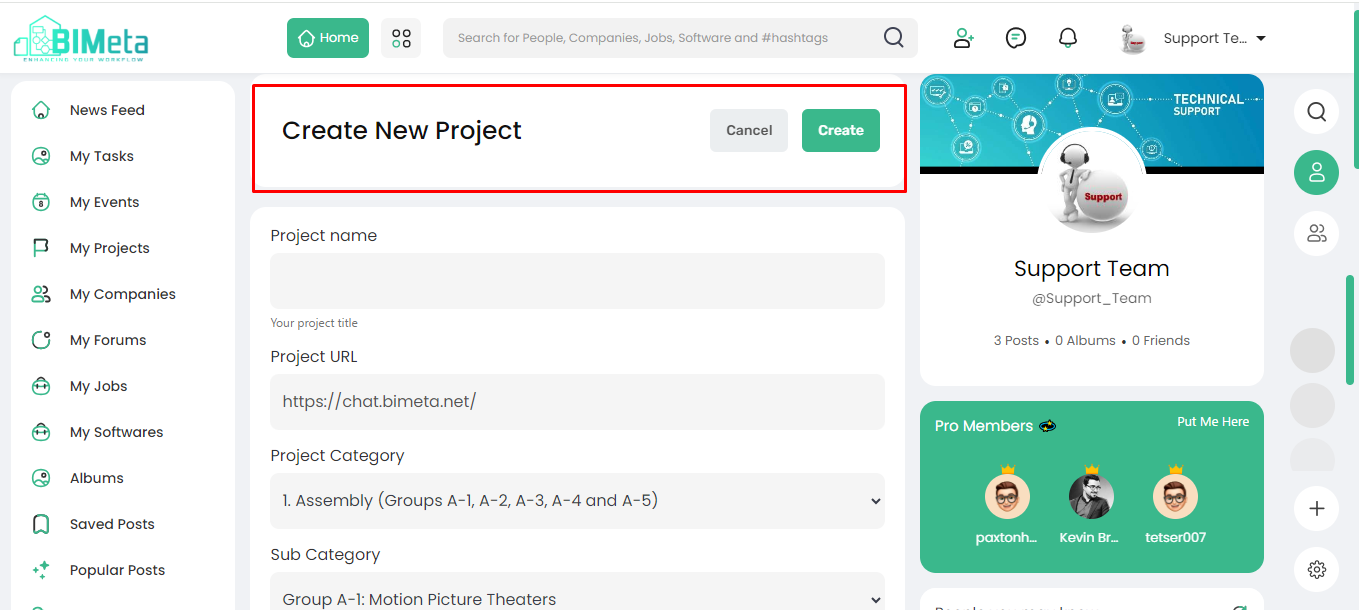
2. New Page Opens:
· A
new page unfolds with:
- Cancel: Change your mind, hit
cancel.
- Create: After filling in the data hit create.
3. Fill in Project Details:
· Provide
the essential project info:
- Project Name: Write your project name
- Project URL: Your project's unique
web address.
- Project Category: Choose the main
category.
- Sub Category: Pick a more specific category.
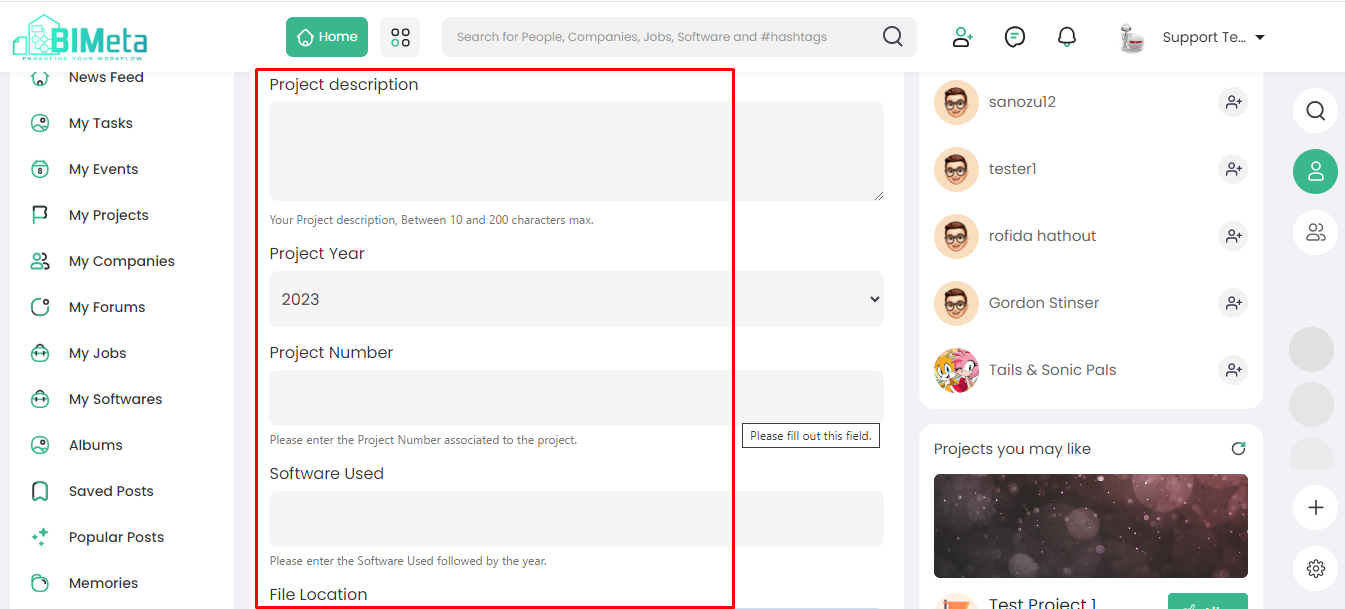
- Project Description: Share what your project
is about.
- Project Year: Write when did your
project start or finish
- Project Number: Assign a unique project
number.
- Software Used: List the software
applied.
- File Location: Write where can others find your project files
4. Project Management:
- Use this feature to outline, manage, and share your projects effortlessly. Whether it's a personal endeavor or a team effort, BIMeta is your go-to for seamless project sharing and management.
Ready
to start, hit create button and let your projects appear on BIMeta!
Was this article helpful?
Share