



2.2.5: Create Company
37 views · updated 12 hours ago

Launching your company on
BIMeta, Fantastic! Here's a simple guide for the "Create Company"
tab:
1. Click
"Create Company":
- Find the "Create Company" tab and give it a click. Time to showcase your company's awesomeness!
2. New Page Opens:
· A
new page appears with:
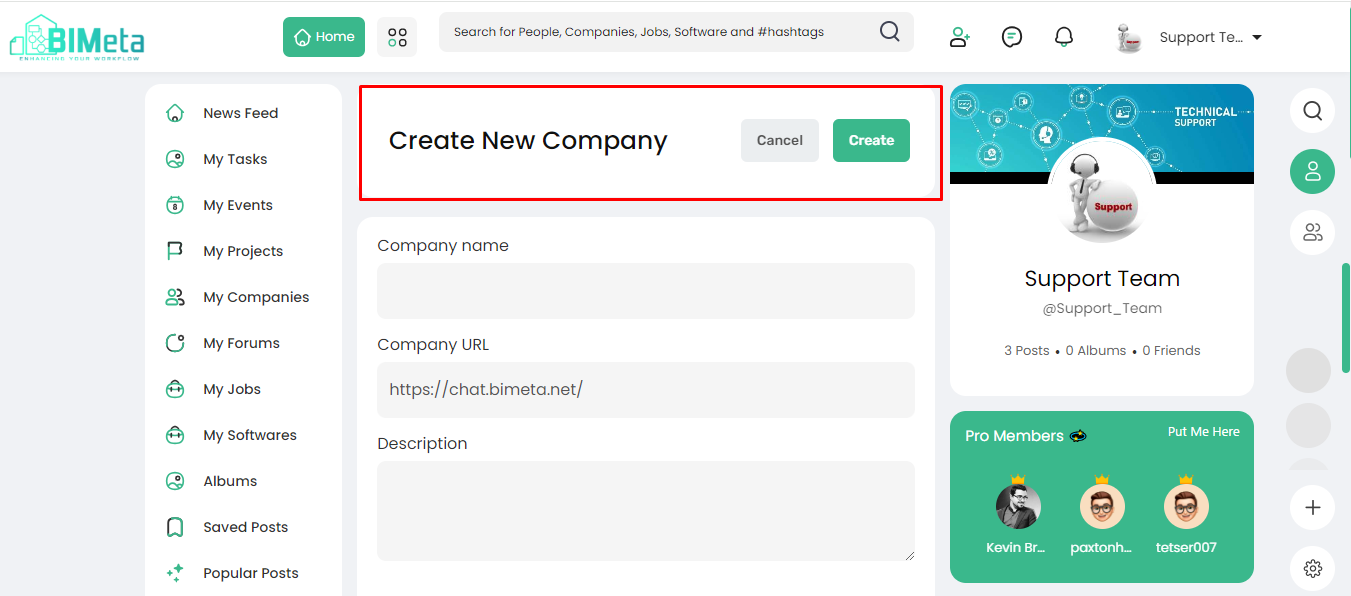
- Create: Click on create button
after filling in the data
- Cancel: Changed your mind, No problem, hit cancel.
3. Fill in Company Details:
· Provide
the essential company info:
- Company Name: Write your company name
in the field
- URL: Write Your company's
unique web address.
- Description: Briefly describe your company.
- Company Type: Specify the type of
company you are.
- Category Drop Down: Choose the category
that best fits.
- Established Year: Write, when was your
company founded.
- CEO Name: Write the CEO's name
Who leads the way
- Company Address: Write where is your
company located
- Server Location: Pick the server location that suits you best.
4. Launch Your Presence:
- Use this feature to create your company's profile on BIMeta. Share your mission, connect with clients, and let the world know what makes your company incredible.
And there you have it! Hit
create, and let your company's BIMeta journey begin
Was this article helpful?
Share