



2.2.1: Create Album
32 views · updated 4 hours ago

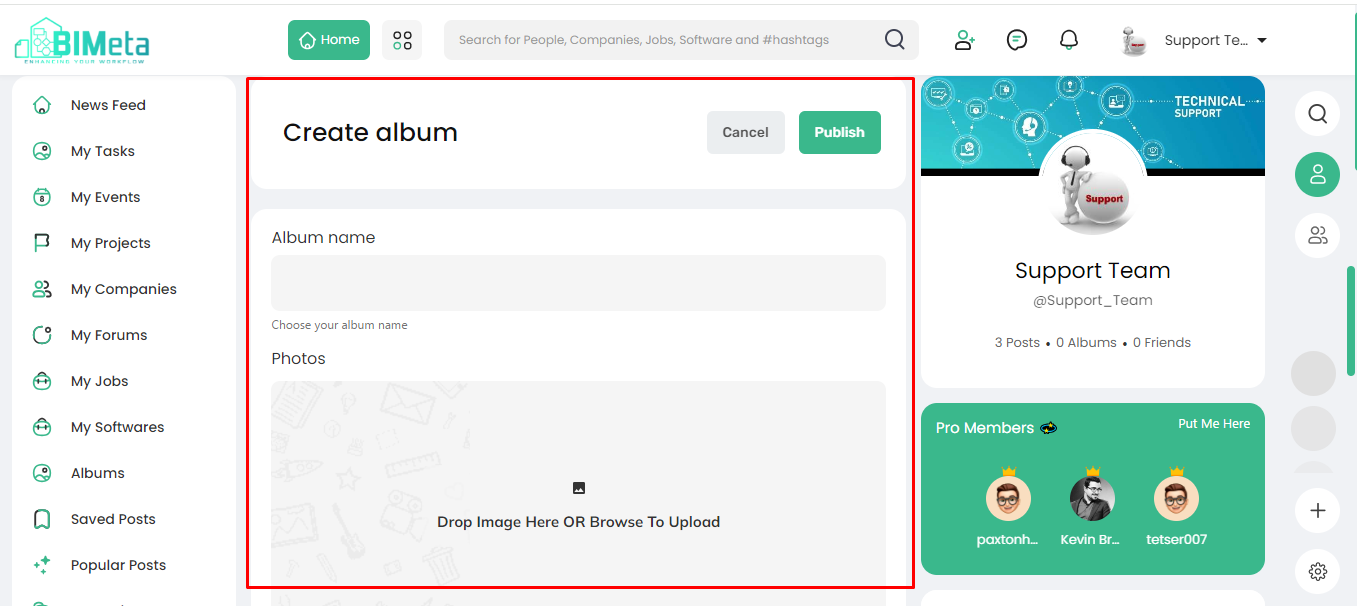
Here's a simple guide for the "Create Album" event tab:
- Click "Create Album":
- First thing, find the "Create Album" tab and give it a click. A new page will open, ready for your creative touch.
2. Craft Your Album:
- Gather your favorite moments, select those awesome pictures, and start crafting your personalized photo album.
3. Add Captions:
- Make your memories come alive with captions! Add a touch of personality or share the stories behind each photo. It's your album, your words.
4. Preview and Edit:
- Take a sneak peek before sharing! Preview your album, make any edits if needed, and ensure it's just the way you want it.
5. Publish Your Album:
- Ready to share the joy? Hit the "Publish" button to let your album shine. Your friends will get to see and enjoy your visual stories.
6. Cancel Anytime:
- Changed your mind, No worries! If you decide not to publish, simply hit "Cancel," and your album remains your creative secret.
Creating
a photo album on BIMeta is as easy as 1-2-3! So, dive in, start
crafting, and share your visual stories with friends
After
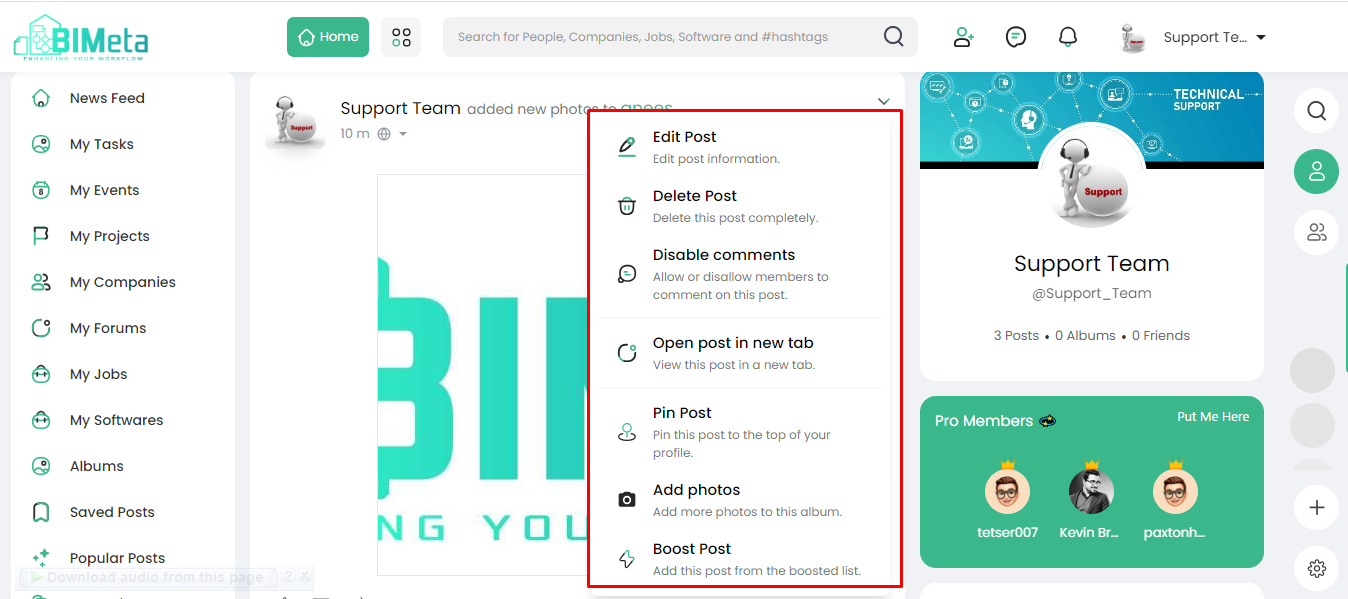
publishing your album! Here's a quick guide to the options available:
- Edit Post:
- Need to make changes? Click "Edit Post" to tweak your album details or captions anytime you want.
2. Delete Post:
- Made a mistake or want to start fresh? Choose "Delete Post" to remove your album.
3. Disable Comments:
- Control the conversation! Use "Disable Comments" if you prefer not to receive comments on your album.
4. Open Post in New Tab:
- Want a closer look? Open your post in a new tab for a detailed view.
5. Pin Post:
- Keep it at the top! Pin your post to ensure it's the first thing people see when they visit your profile.
6. Add Photos:
- Keep the album growing! Click "Add Photos" to include more pictures to your published album.
7. Boost Post:
- Get more visibility! Boost your post to reach a broader audience.
Feel
free to perform any action according to your desire and make the most of your
published album. Enjoy sharing your memories on BIMeta!
Was this article helpful?
Share